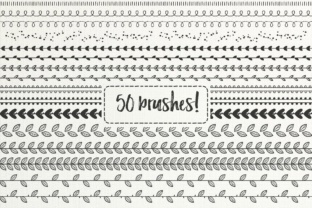
50 Hand-Drawn Brushes, Part 2: Unlock Creative Freedom with AI & Doodle Pattern Brushes for Illustrator
What Are Hand-Drawn Pattern Brushes — and Why Do They Matter?
Hand-drawn pattern brushes are digital tools designed to mimic the warmth, imperfection, and personality of real pen-on-paper sketching — but inside Adobe Illustrator. Unlike standard vector brushes or raster textures, these brushes are built using Illustrator’s native Art Brush and Pattern Brush engines, allowing them to stretch, repeat, and adapt seamlessly along paths, shapes, and custom strokes. The 50 Hand Drawn Brushes, Part 2 bundle is a carefully curated collection that brings whimsy, authenticity, and versatility to your design workflow — all while staying fully editable, scalable, and resolution-independent.
More Than Just “Cute” — A Practical Toolkit for Real Design Work
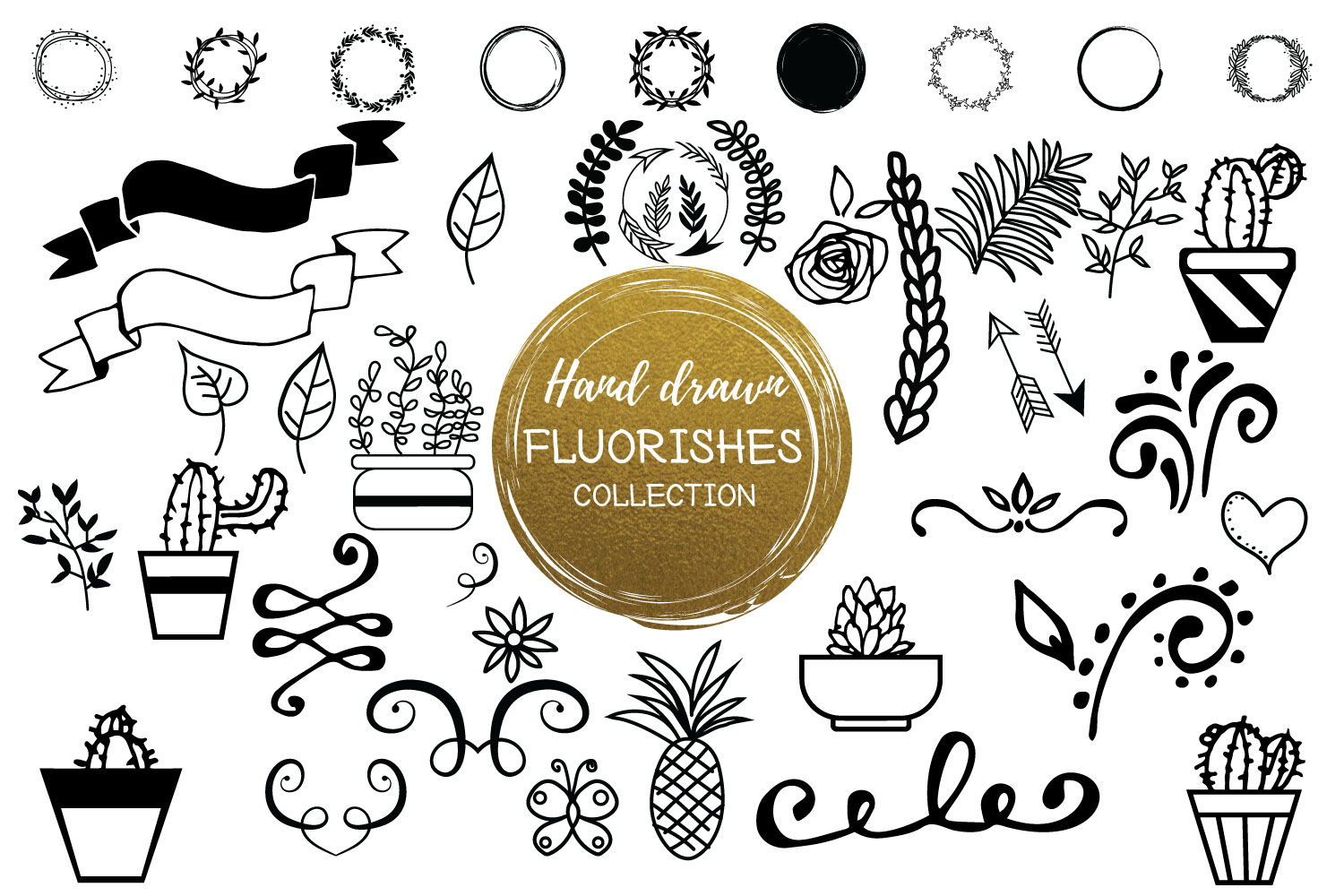
At first glance, you might see hearts, dog paws, leaves, arrows, and geometric diamonds and think, “These are just decorative.” But in practice, these 50 unique, hand-sketched brushes serve serious creative functions:
- Seamless pattern creation: Wrap a leaf brush around a circle or repeat a dotted arrow brush along a wavy path to build organic, non-repetitive background patterns — ideal for packaging, textile design, or web banners.
- Logo and brand embellishment: Add subtle doodle accents to letterforms (e.g., tiny hearts dotting an “i” or paw prints trailing from a pet-care logo) without sacrificing vector integrity.
- Greeting card & stationery design: Create custom borders, corner flourishes, or illustrated dividers in seconds — no redrawing, no pixelation, no layer management headaches.
- Social media graphics & presentations: Use high-resolution decorative circles (included as 20 .png files) as frames for photos, quote highlights, or interactive UI elements.
Each brush was drawn by hand, then digitized, refined, and optimized — meaning they retain natural line variation, slight tapering, and expressive weight shifts that generic vector shapes simply can’t replicate.
How This Bundle Fits Into Modern Creative Workflows
In today’s fast-paced design environment — where clients demand both speed and originality — hand-drawn brushes bridge a critical gap. Designers no longer need to choose between polished, scalable vectors and expressive, human-made aesthetics. With this bundle, you get both.
Consider a freelance illustrator creating branding for a local bakery: instead of spending hours drawing custom cinnamon roll icons or flour-dusted borders, they apply a hand-sketched swirl brush to a curved path, adjust stroke weight, and instantly generate a cohesive, artisanal motif. Or imagine a marketing team building a campaign around sustainability — a single leaf brush, repeated across a brochure layout, conveys eco-friendliness far more effectively than a stock icon ever could.
This isn’t about shortcuts. It’s about intentional efficiency — preserving the designer’s voice while eliminating tedious repetition.
Two Files, One Powerful Workflow
The download includes two essential assets:
- .ai Brush Library: Load directly into Illustrator’s Brushes panel (Window > Brushes > Open Brush Library > Other Library). Once loaded, every brush appears as a selectable option — ready to apply to any stroke with one click. No installation wizard, no plugins, no compatibility layers.
- 20 High-Resolution Decorative Circles (.png): Each circle features intricate hand-drawn details (dots, dashes, tiny stars, vines) at 300 DPI — perfect for overlays, social post templates, or print-ready embellishments. Use them independently or pair them with your brushed elements for layered, dimensional effects.
Why Adobe Illustrator CC Is Required (and Why That’s a Good Thing)
This bundle leverages Illustrator CC’s advanced brush engine — specifically features introduced in 2019 and later, including improved pressure sensitivity mapping, enhanced pattern tiling logic, and smarter path alignment algorithms. Older versions (CS6 or earlier) lack the underlying architecture to render these brushes correctly: paths may distort, repeats may misalign, or brushes may fail to load entirely.
While that may sound limiting, it reflects a strategic choice: rather than downgrading quality for backward compatibility, the creators prioritized expressive fidelity and technical reliability. For designers using current industry-standard tools — which includes over 87% of professional illustrators and agencies (per Adobe’s 2023 Creative Cloud usage report) — this ensures consistent, predictable results.
Tip: If you’re on an older version of Illustrator, consider upgrading to CC via Adobe’s subscription plan — not just for this brush set, but for ongoing access to performance updates, cloud libraries, and AI-powered tools like Generative Fill and Text to Vector Graphic.
Common Misconceptions — Clarified
Misconception #1: “Hand-drawn brushes = low-quality or unprofessional.”
False. These are vector-based, infinitely scalable, and fully editable. You can change color, stroke width, opacity, or even expand and tweak anchor points — all without losing clarity.
Misconception #2: “They only work for ‘cute’ or ‘kiddie’ projects.”
Not at all. Think of them as expressive typography — just as a bold serif font communicates authority and a playful script conveys friendliness, these brushes add intentional tone and texture. A sharp, angular arrow brush adds energy to a tech startup’s pitch deck; a delicate vine brush lends elegance to a luxury wedding invitation.
Misconception #3: “I need to be a skilled illustrator to use them well.”
No drawing skill required. What matters is design judgment: knowing when to use a subtle heart accent versus a bold geometric repeat, how spacing affects rhythm, or how contrast in line weight guides the eye. This bundle empowers beginners to experiment confidently — and gives pros new vocabulary to refine their visual language.
Getting Started: Three Beginner-Friendly Tips
- Start simple: Draw a straight line with the Pen Tool, select a brush (try “Dotted Arrow” or “Tiny Hearts”), and watch it animate instantly along the path. Adjust stroke weight to see how scaling affects density and flow.
- Combine brushes with shapes: Draw a circle, go to Object > Path > Outline Stroke, then use the Live Paint Bucket to fill segments with different brushes — great for custom badges or icons.
- Build patterns fast: Draw a rectangle, apply a leaf or diamond brush to its stroke, then go to Object > Pattern > Make. Illustrator will auto-generate a seamless tile — tweak spacing and overlap in the Pattern Options panel.
Final Thoughts: Creativity Starts With the Right Tools
The 50 Hand Drawn Brushes, Part 2 bundle isn’t just another download — it’s a thoughtful extension of your creative hand. In a world saturated with generic digital assets, these brushes offer something increasingly rare: humanity, charm, and intentionality — all wrapped in production-ready vector precision.
Whether you're crafting a heartfelt birthday card, designing a boutique apparel label, or building a presentation that stands out in a sea of slides, these brushes help you say more — with less effort, more joy, and unmistakable authenticity. And because they’re built for Illustrator CC, you’re not just investing in a set of graphics. You’re investing in a future-proof, flexible, and deeply expressive part of your design toolkit.
Ready to sketch smarter? Load the library, pick your favorite doodle, and let your next idea flow — naturally, beautifully, and without limits.