Girl’s Dreams: 80s Fashion Patches & Patterns
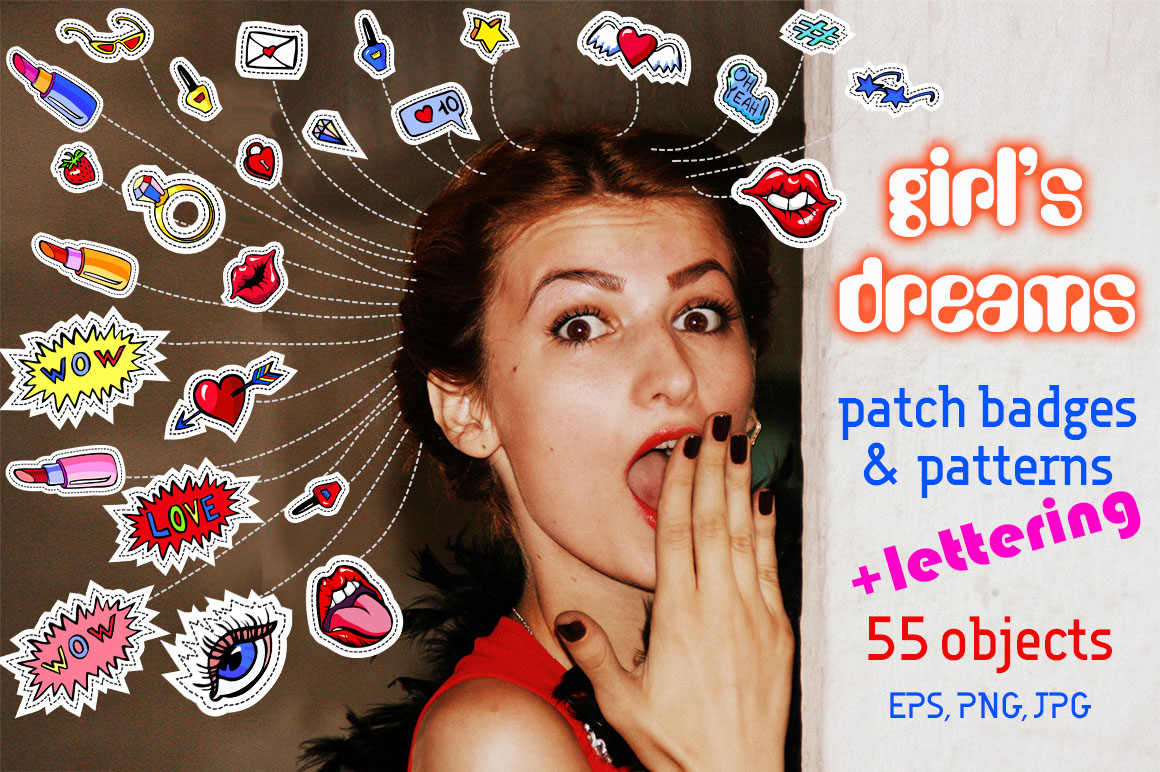
If you’ve ever flipped through a well-loved zine from the late ’80s or admired the bold, hand-drawn charm of early indie comics, you’ll instantly recognize the energy in Girl’s Dreams – 80s Fashion Patches Patterns. This isn’t just another clipart bundle—it’s a thoughtfully curated toolkit built for creators who value authenticity, flexibility, and nostalgic visual storytelling. Whether you’re screen-printing denim jackets, designing limited-run merch, crafting Instagram story templates, or building a cohesive brand aesthetic rooted in playful retro-futurism, this set delivers real working assets—not just inspiration.
What You’re Actually Getting (No Guesswork)
At its core, Girl’s Dreams – 80s Fashion Patches Patterns is a dual-format creative resource designed for both precision and practicality. It includes:
- 43 vector EPS10 cartoon doodles—fully scalable, editable in Illustrator or Affinity Designer, with clean paths and no raster artifacts;
- 43 high-res PNG files (300 dpi, transparent background)—ready to drop into Canva, Photoshop, Procreate, or Figma without clipping masks or background cleanup;
- 12 seamless vector patterns (EPS10)—ideal for fabric repeats, wallpaper mockups, or textile design workflows;
- 12 matching JPG pattern tiles (4200×4200 px, 300 dpi)—optimized for print-on-demand platforms like Printful or Gelato where vector upload isn’t supported.
Every element is isolated, cleanly traced, and intentionally designed with consistent line weight, color palette harmony, and authentic ’80s–’90s comic sensibility—think Lisa Frank meets early Teen Vogue illustration, but with more attitude and zero dated gradients.
Why These Designs Work Where Others Fall Short
Many retro-themed assets rely on heavy filters, overused motifs (rainbows, cassette tapes, neon palm trees), or low-res scans that pixelate at scale. Girl’s Dreams – 80s Fashion Patches Patterns avoids those pitfalls by prioritizing craftsmanship over cliché. The doodles aren’t generic—they’re expressive characters and objects with personality: a winking robot holding a boombox, a glitter-eyed cat wearing sunglasses and platform boots, a cassette tape sprouting flowers. Each one holds up as a standalone icon *and* integrates smoothly into larger compositions.
The seamless patterns are equally intentional. Unlike tiled JPEGs that show visible seams or lack rhythm, these repeat cleanly at any scale—whether you’re filling a tote bag background or tiling across a 6-foot banner. And because all vectors are EPS10, they retain full editability: change colors in one click, adjust stroke weight, or extract individual components without losing fidelity.
Real-World Uses Across Roles and Projects
You don’t need to run a fashion label to get serious value from this set. Here’s how professionals across fields apply it—without extra plugins or licensing headaches:
- Freelance designers use the PNGs to rapidly prototype social media banners for boutique clients—replacing stock photos with custom, on-brand visuals in under 20 minutes;
- Educators and workshop leaders print the doodles as cut-out templates for teen art classes, then layer them onto collaged posters or embroidered patches—no digital access required;
- Small-batch apparel brands combine the vector patches with their own typography to create limited-edition iron-ons, then export clean SVGs for embroidery digitizing;
- Bloggers and content creators build recurring visual motifs across newsletters, Pinterest pins, and YouTube thumbnails—using the same doodle family to reinforce recognition without repetition fatigue;
- Teachers and nonprofit comms teams adapt the patterns as subtle backgrounds for presentation decks or volunteer campaign flyers—adding warmth and approachability without distracting from core messages.
Smart Implementation Tips (From Experience)
A great asset library only shines when used intentionally. Here’s what helps this set deliver consistent results:
- Start with your output first. If you’re designing for physical products (pins, patches, stickers), lean on the EPS10 files—you’ll need precise outlines for die-cutting or embroidery. For web or social, the PNGs give you faster iteration and broader compatibility.
- Use the patterns as texture—not filler. Try overlaying a subtle 10% opacity pattern on a solid background behind text. It adds depth without competing for attention. Avoid stretching them beyond 150% scale unless you’re using the vector versions.
- Don’t ignore the negative space. These doodles were drawn with generous breathing room. That means they work beautifully as standalone icons on light or dark backgrounds—no need to add halos or shadows unless your brand style calls for it.
- Check color mode before final export. While RGB works fine for digital, switch to CMYK if sending to a local printer—and test one pattern tile first to ensure no unexpected shifts in pastel tones.
Who Benefits Most—and Who Might Want to Look Deeper
This set shines for makers who appreciate stylistic cohesion, need production-ready files, and want to avoid chasing down separate licenses for fonts, textures, or illustrations. It’s especially strong for anyone working with youth-oriented, feminist, or indie-culture audiences—where authenticity and handmade charm carry more weight than polished perfection.
That said, if your project demands photorealistic elements, ultra-minimalist line art, or culturally specific symbolism outside Western ’80s/’90s pop references, you’ll likely need supplemental assets. Likewise, while the color palette is carefully balanced, it leans warm and saturated—so if your brand uses strict monochrome or cool-toned palettes, plan for quick recoloring (which the vectors support effortlessly).
A Resource That Grows With Your Workflow
What makes Girl’s Dreams – 80s Fashion Patches Patterns stand out isn’t just its nostalgic appeal—it’s how seamlessly it moves between analog and digital, commercial and personal, fast-turnaround and highly crafted. You can sketch over a printed doodle, scan it back in, and composite it with the original vector. You can animate a single PNG frame-by-frame in After Effects. You can import the seamless patterns directly into Spoonflower’s design tool and order custom fabric swatches in under five minutes.
In short: it respects your time, your tools, and your creative intent. No upsells. No hidden layers. Just 43 distinct voices, 12 rhythmic backdrops, and the quiet confidence that comes from knowing every pixel—and every vector point—was placed with purpose.