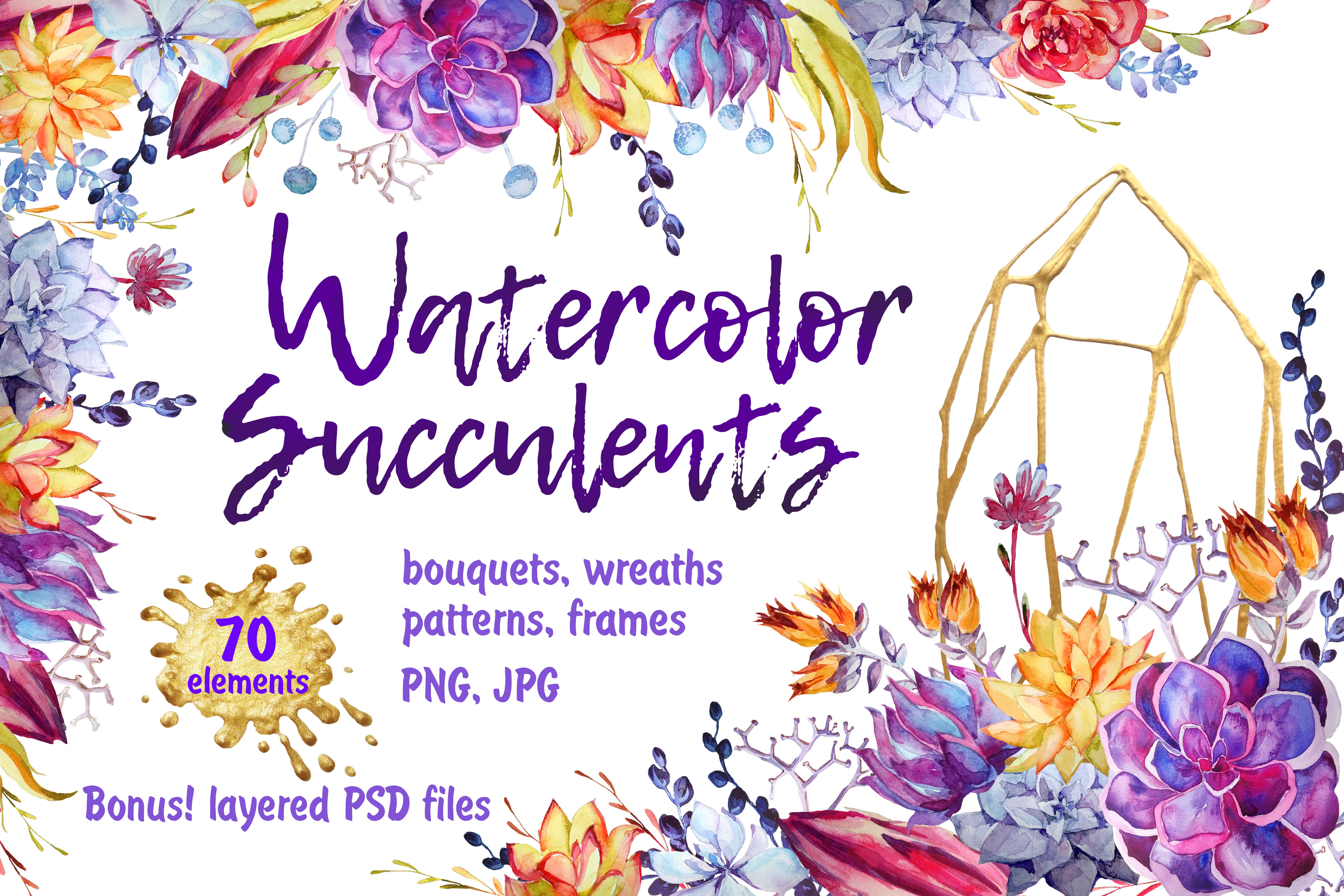
Watercolor Succulents Clip Art PSD
There’s a quiet elegance in the way watercolor meets succulent—soft edges, organic texture, and resilient charm all at once. That delicate balance is exactly what makes the Watercolor Succulents Clip Art PSD collection so widely embraced by designers, crafters, and small business owners alike. More than just a set of digital assets, it’s a thoughtfully curated toolkit built for real-world creativity—not trends, but timelessness.
A Collection Rooted in Real Design Needs
This isn’t clip art designed in isolation. It was inspired by observable shifts in wedding aesthetics, stationery preferences, and lifestyle branding—where minimalism meets warmth, and nature-inspired motifs carry emotional resonance. The Watercolor Succulents Clip Art PSD reflects that evolution: gentle washes of pigment, subtle granulation, and botanical accuracy without rigid formality.
What sets it apart isn’t just visual appeal—it’s practical architecture. Every file type, dimension, and format serves a clear purpose. Whether you’re printing foil-stamped invitations or building a Shopify product banner, the collection anticipates your workflow—not the other way around.
What You’ll Actually Use (Not Just Download)
Here’s how the contents translate into tangible design flexibility:
- 19 seamless patterns—available as both JPG (for quick background fills) and PNG with transparent backgrounds (so you can layer over photos, textures, or gradients without clipping masks).
- 3 elegant borders—PNG files sized to scale cleanly across cards, labels, or web banners without pixelation or distortion.
- 30 individual floral elements—each isolated on transparent backgrounds, generously sized (~8000×3000 px), giving you room to crop, recolor, or composite without quality loss.
- 16 bouquets and arrangements—ranging from compact clusters to sprawling compositions (3000–9000 px wide), ideal for hero graphics, packaging mockups, or editorial layouts.
- All files at 300 dpi—RGB color space for screen use and high-resolution print readiness (design papers are JPG; everything else is PNG unless noted).
- Full PSD access—not just flattened images. Each bouquet and arrangement comes layered, letting you swap stems, adjust opacity per element, or integrate pieces from different bouquets seamlessly.
Why File Structure Matters More Than You Think
Transparency isn’t just about convenience—it’s about creative control. With PNGs featuring alpha channels, you’re not locked into white or solid-color backgrounds. Want to place a succulent cluster over a marble texture? Done. Overlay a border on a gradient fade? Effortless. Even the seamless patterns include transparency, so you can define your own base tone instead of accepting preset colors.
The PSD layers go further: imagine extracting a single echeveria rosette from Bouquet #7 and blending it into Border #2—no tracing, no masking, no guesswork. That kind of modularity saves hours during revisions, especially when clients request “just one more variation.”
Who Benefits—and How
Wedding stationers use the bouquets as focal points on save-the-dates and menus, while patterns add rhythm to envelope liners or RSVP card backs. The softness of watercolor helps temper formal typography—making elegance feel approachable.
Small-batch makers (think candle labels, soap wraps, or tea box designs) rely on the seamless patterns for consistent branding across SKUs. A single pattern can unify six product variants—without needing custom illustration for each.
Educators and DIY crafters appreciate the clean, scalable elements for classroom posters, printable planners, or hand-lettered journal kits. Because everything is high-res and transparent, resizing for laser-cut stencils or Cricut projects stays crisp.
Brand designers integrate the elements into logo lockups, social media templates, or brand guidelines—especially where “natural,” “mindful,” or “handmade” positioning matters. The collection avoids cliché by leaning into subtle variation: some leaves have faint veining, others show gentle bloom blush—details that signal authenticity.
Real-World Considerations (No Glossy Hype)
Like any well-designed resource, the Watercolor Succulents Clip Art PSD excels within its scope—but clarity about its boundaries helps you decide if it fits *your* project.
It’s not vector-based, so infinite scalability isn’t possible—but at 3000–9000 px, even large-format prints (like 24×36″ wall art) retain fidelity. If you need SVG icons or embroidery-ready outlines, this isn’t the set for that.
The palette leans earthy and muted—soft sage, dusty rose, warm greys, and cream—not neon or saturated tones. That’s intentional: it supports versatility across seasons and palettes, but won’t satisfy users seeking bold, tropical contrast.
And while the PSD files offer layer freedom, they assume basic familiarity with Photoshop (layer visibility, blending modes, smart objects). Beginners may need 15–20 minutes to explore layer names and groupings—but no advanced skills are required to start using flattened PNGs immediately.
Getting Started Without Overwhelm
If you're opening the folder for the first time, try this sequence:
- Start with the 30 separate elements. Drop one onto a blank canvas. Try changing its blend mode to “Multiply” over a light background—it instantly becomes a watermark-style accent.
- Open one bouquet PSD, hide all layers except the main stem group, then drag that group into your current file. Now you’ve customized your first hybrid arrangement.
- Apply a seamless pattern as a fill layer (Layer > New Fill Layer > Pattern), then clip it to a shape layer—ideal for social media profile highlights or email header bands.
No plugin, no subscription, no learning curve beyond what you already know. Just intuitive, production-ready assets.
Beyond Decoration: Building Cohesion
One underrated strength of the Watercolor Succulents Clip Art PSD is its internal consistency. Unlike bundles stitched together from disparate sources, every brushstroke, pigment bleed, and leaf curvature shares the same origin point. That means:
- Patterns align visually with bouquets—even when scaled differently.
- Elements from separate files share natural weight and texture, so composites don’t look “cut-and-pasted.”
- Color harmony remains intact across formats, reducing time spent adjusting hue/saturation per asset.
In practice, that cohesion translates to faster client approvals, fewer revision rounds, and stronger brand recognition—because audiences subconsciously register visual rhythm, even if they can’t name it.
Final Thought: Tools Should Serve Your Voice
The best design resources don’t shout for attention—they quietly empower your ideas. The Watercolor Succulents Clip Art PSD does exactly that: it offers structure without restriction, beauty without brittleness, and flexibility without fragmentation. Whether you’re designing for love, livelihood, or learning, it meets you where you are—and gives you room to grow.